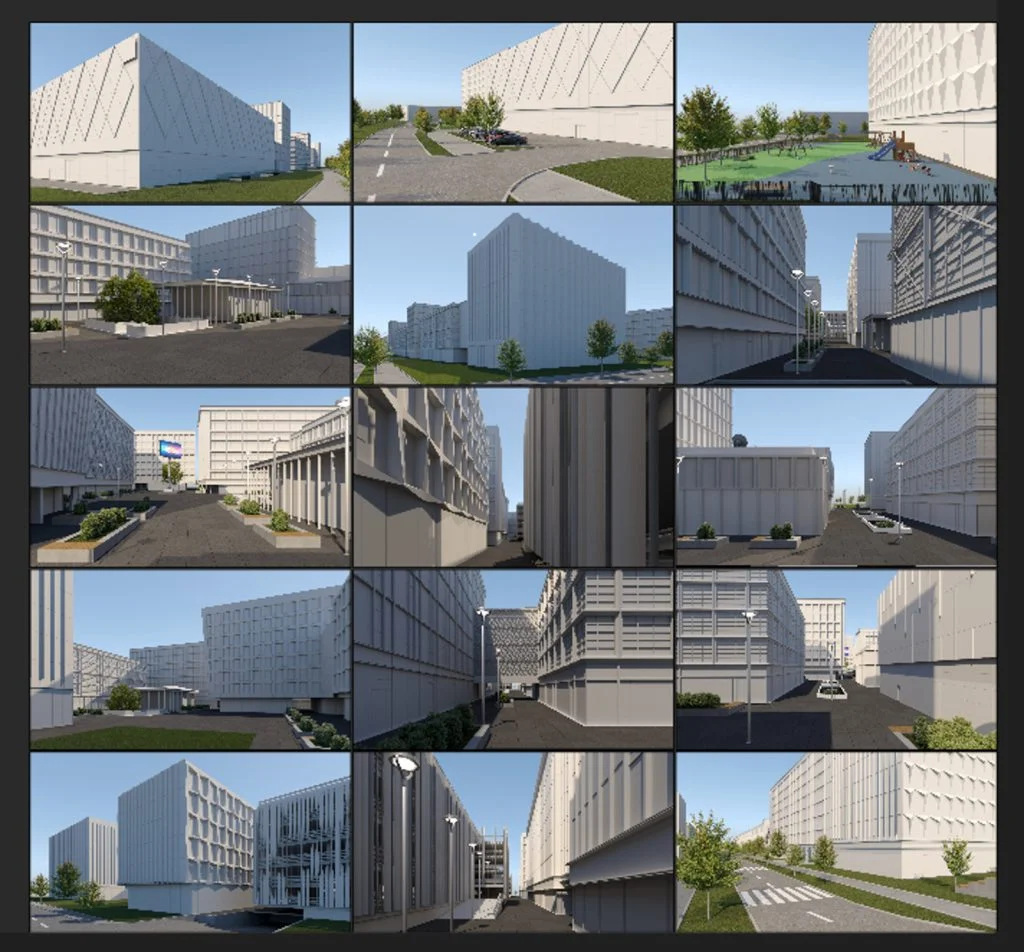
Case study

format3d
08/04/2022
Case study: the process of creating 3D exterior visualizations of a family villa in Zagreb

Recently, we have been receiving more and more requests related to visualizations and renovation projects of family houses. Therefore, we decided to create a case study about the process of creating exterior 3D visualizations of a family house in Zagreb, more precisely in the settlement Borčec near Sljeme, close to the Zelena Magistrala Road.

It is a house of a little more than 300 m2 on a plot of 927 m2. The facility is located in a secluded location, reached by a little more than 100 meters of traffic branch from the main road, which further contributes to the intimacy of the place.

The project task in front of us was consisted not only of 3D visualizations, but also of the complete horticulture, terrain planning, retaining walls, parking spaces, placement of the pool, definition of the terraces, choice of color of the roof, facade, carpentry, paving, locksmithing… etc…

The design of the terrain was also a great challenge. Therefore, in this article we will talk again about photogrammetry, which was extremely helpful in creating an absolutely accurate geodetic survey.

1. Modeling

The process of creating 3D visualizations always begins with the creation of objects basic model. So, in accordance with the project documentation, we started with the creation of a rough model in 3ds Max. At the very beginning of the model development, we thought about several possible directions in terms of roofing, terrace railings and roof houses, the purpose of which was to create additional usable space in the upper floor position, especially in the upper living room and master bedroom.
In the modeling phase, the focus is not on the materials, i.e. texturing, but on the most precise execution of the main walls, carpentry, roof and other structural elements.

2. Placement of the object model in the room

The next big task in creating 3D visualizations is terrain modeling. In this project, we were greeted by a geodetic survey that defined the configuration of the terrain by 18 recorded elevations. For most projects, this number of points would be quite sufficient, and by approximating the contiguous layers, we would get a very solid geodetic survey, especially if we were taking a relatively small area, of course, compared to larger construction projects we were working on.
But on this project, that was not enough, because the configuration of the site is extremely challenging. There is a lot of leveling at relatively short intervals and then a sudden leveling. For this reason, we decided to use a drone to survey the terrain and perform photogrammetry of the site. The photogrammetry provided us with a 3D terrain map (mush) that we used in several ways.

a) Terrain mapping

Although the primary task of photogrammetry is to obtain a point cloud from which we create a 3D model of the surveyed environment, we also obtain a 2D image that we combine with geolocation using Pix 4D software. In this way, we overlaid the cadastral image with the captured situation to delineate the site and represent parapet and retaining walls in the visualizations as accurately as possible.

b) 3D terrain configuration

Now it gets even more interesting. In this step you will see the real purpose of photogrammetry in a very detailed example. From the point cloud we created an absolutely accurate 3D terrain model and immediately positioned the main building, retaining walls, parapets, pool and some other details.
In the following example you have the possibility to see the height differences of the terrain.

3. Thorough texturing and detailing

The object and its surroundings are slowly taking shape. At this stage we decided to make several important changes, such as changing the entrance fence, redesigning the house roof to start from the supporting crossbeam rather than the ridge. Also by bringing additional life to the working renderings, we got the desired confirmation of the idea, but we also got closer to the goal.

4. Lower material phase

This phase had a double task. On the one hand, we tried different solutions for the paving around the pool and the walkways that would connect the entrance to the property with the courtyard behind the house. On the other hand, we tested different camera angles, light positions, etc. At this stage, we also decided on some changes that determined the rest of the process. We also determined the angles we wanted to have in the final renderings.

5. Test renderings in lower resolution

After selecting the corners and finalising the model of the house and the garden, we started testing different types of lighting until we decided on the most suitable one. At this stage, we have already determined the appearance of the garden, set up gabions as a solution for retaining walls and the like. You want to note that gabions are not a structural solution for the retaining wall of a car plateau, because in fact they can not be used in this way, but only as a decorative sheathing of the edge of a reinforced concrete retaining wall.

Revision

The terrace around the pool is extended with additional paving stones

We would also like to point out that we have prepared project documentation for the construction of the plateau for cars and pedestrian access to the entrance.

Entrance elevation

Entrance plan

Heights plan

6. Final renderings

The final renderings were done in Corona, and we imported the topographic rendering into AutoCAD, where we scaled it to exact dimensions. This allowed us to easily calculate specific areas and distances outside of 3ds Max, which came in handy for further planning of the work.

Read More
format3d
18/03/2022
Case Study: Sveti Filip i Jakov Tourist Resort 3D visualizations

In the next case study, we describe the process of creating 3D visualizations of the tourist complex in the settlements of Sveti Filip i Jakov not far from Zadar. The project consisted of 19 detached luxury villas, 6 semi-detached houses, hotels and 6 hotel annexes with a total built-up area of 16,109 m2. The project was commissioned by Bluesun Hotels and is signed by the Architectural Studio Madunić. The designer provided us with DWG drawings, PDF documents and a simple SketchUp model, which served as an auxiliary working model that allowed us to solve many doubts during modeling.

The project included the creation of 3D visualizations of the exterior and interior, the interpolation of 3D models of the complex in photos taken by a drone from different angles (photomontage), and the animation of the entire settlement for about 2 minutes. Twinmotion was chosen to perform the animation, which was the most economical and fastest solution, and Blender was used to animate the interiors. After reviewing the submitted materials in detail and compiling the offer, we estimated that the complete project would take 7 weeks.

For the successful implementation of all our projects, a form of communication was agreed with the client that suited him best and consisted of weekly reports and a joint WhatsApp group. Weekly reports informed the client about the status of the project and described in detail everything that was done that week, what was planned for the next week, our suggestions for improving the project, but also a list of tasks for the client (requirements for materials, colors, textures, horticultural styles, angles, etc.).
The WhatsApp group was set up for the purpose of making quick decisions about the project and possible fixes, which greatly expedited certain processes where we needed a quick response from the client. Our WhatsApp group included the architect, our project manager and our team leader.

For the needs of the project, photogrammetry of the site (3D mapping) was performed, which gave us the configuration of the site, which helped us a lot in positioning the facilities, especially the hotel building in the area of the garage entrance.

While recording the bases for photomontage and materials for photogrammetry, a drone HDRI map of the entire area was created, which gave us a very natural atmosphere in the final renderings.

Below we will talk about the details of the project in its different phases.

Exteriors

Villas, Semi-built Houses and Hotel Dependencies

Model

After working out the project task in detail and receiving all the necessary drawings and bases from the designer, we started creating 3D models of the buildings by dividing the whole project into different types. So, we started modeling each type of building located in the tourist complex. We have already mentioned that in the last projects we used Blender for 3D visualizations because it offers many features, is fluid, allows UV mapping, can be exported to many different formats, but also offers the possibility to render via GPU, which speeds up the rendering process by five times.

Each building type of the complex is modeled

Due to good and fast communication with the designer, the accuracy of the model was checked.

Texturing

After the models were confirmed, we started texturing the objects. Working with the architect, we selected textures that were authentic to the local environment and best suited to the project itself.

The textures were added for each object

References and HDRI

In our visualizations, we place great emphasis on using the highest quality lighting possible. Therefore, for the needs of the project, we use either our own HDRI maps taken directly at the site of the future project, or the most similar ones from our extensive database. We present these simple renderings to the client, who gives us the green light to proceed with the project. At this stage, changes to the project are possible if the designer decides to make a change.

Rendering each of the objects with added textures and lighting via HDRI

Hotel model

We split the hotel building into a separate segment, so we started modeling and detailing after we finished modeling and texturing of other buildings. As part of the modeling of the hotel, we added the vegetation that surrounds the hotel.

Model of a hotel with vegetation nearby

Texturing and lighting of the render review of the hotel

We did the texturing of the hotel in consultation with the designer. After several different variations, we decided on the one that best fit the rest of the resort.

Adding textures to the hotel

Adjusting the brightness in the rendering of the hotel

Terrain

In our projects we pay great attention to the terrain and its precision. Terrain has an extremely large impact on most projects (except for those that are completely apartment, which is a great rarity). Therefore, we very often use photogrammetry in our work to obtain a precise terrain configuration. Through this process we obtain a point cloud from which we derive a terrain model. In the following examples you have the opportunity to see how the terrain modeling looks like, the placement of previously modeled and textured buildings and hotels in the field.

Modeling the terrain of the entire resort with roads and paths

Placement of previously modeled and textured objects on new terrain

Placement of previously modeled and textured hotel on new terrain

Equipment

In this part of modeling we add to the scene green walls between buildings, detailed vegetation, car shelters and outdoor furniture on the terraces of hotels and other buildings.

Building green walls between buildings

Placing hotel furniture

Placing cars

Placing outdoor furniture

Placing vegetation in the field

Interiors

Interior design

Based on our proposal for a Mediterranean style interior and a detailed consultation with the designer, we have chosen furniture models from our database, which includes more than 35,000 different models. The kitchens are our own work and we have specially adapted them to fit into the space with their design but also with their function.

In terms of colors, textures and materials, we have chosen neutral tones that ideally match the chosen Mediterranean style of interior.

We arranged the furniture in SketchUp, whose model we later imported into Blender.

Preparation of interior and terrace models in SketchUp

Preparation of the materials for the interior

Import of the furniture models into the interiors

Photomontage

We matched 3D models and photos taken from the air by a drone using fSpy software. fSpy is a great open source add-on for Blender that helps interpolate 3D models within the photo scene. It is a process that estimates camera parameters from specific data within an image. fSpy successfully calculates the approximate focal length, orientation, and position of the camera in relation to the assigned control points.

At the site in Sveti Filip i Jakov, we used drones (DJI Phantom 4 Pro and DJI Air 2s) to take a whole series of aerial photos of the site. We took photos in 5 exposures each (in RAW of course ) and thus later created great HDR photos of the place, the surroundings and the view using Lightroom.

On the same day, we sent the client to the location to choose from more than 50 edited photos of the place taken from different angles.

For the photo montage, 8 photos were selected that best showed the location of the project. Then we started post-processing and adjusting the vegetation by adjusting the previously rendered models to the actual position in the space.

“Matching” photos taken with a drone and a finished model using fSpy software.

“Matching” result ready for photomontage

Photomontage of rendering and photography and matching the new rendering to the existing terrain

Post-production

We often point out that post-production is a large and sometimes crucial factor in the creation of 3D visualizations. For example, in this project, numerous corrections were made to the scenes through editing in Photoshop. In particular, we would like to highlight the addition of realistic sky backgrounds, the occasional insertion of people within the scene, the correction of colors, lighting, etc.
You can see part of this process in the following examples.

Rendering editing sequences in Photoshop

Animation

The beginning of creating 3D animation is not in 3D modeling programs, but in pencil and paper.
Actually, it all starts with creating a script based on the message we want to convey. In this project, it was important to show the entire settlement and the hotel’s relationship with it. Through animation, we tried to show all the contents of the objects as well as their function.
Twinmotion for the exterior shots and Blender for the interior shots helped us prepare the clips for 3D animation. We mostly use Twinmotion for projects where the goal is to create simple animations that the client needs relatively quickly, and for projects where further changes are possible. Of course, the choice of 3D animation technology is also influenced by the budget that the client has for the animation.

We would like to point out in particular that we perform animations at 60 frames per second, because it allows us to achieve much higher fluidity than 30 frames per second.

And finally came the editing of the animation, which we did in Final Cut Pro video editing software. The music selected is royalty-free background music.

Read More
format3d
22/02/2022
Case Study: 3D visualization process of 7 luxury villas Dolabella Heights, Cavtat, Dubrovnik

In this case study we present the process of creating a 3D visualization for one of the most exclusive projects on the Adriatic. It is the Dolabella Heights project, which includes 7 luxury villas in Cavtat near Dubrovnik on a plot of 27,000 m2. Each villa has more than 800 m2 of interior space connected by large glass walls with more than 300 m2 of terraces on several levels. The center is dominated by an infinity pool of more than 100 m2, which visually merges with the blue sea. The architecture was penned by the “Drugi ured” architectural office of renowned Croatian architect Otto Barić, while the 3D visualizations and interior design were created by our team.

Model making

After formulating the project task in detail and receiving all the necessary designs and basics from Mr. Barić’s architectural office, we started creating the basic 3D model of the reference villa in Blender. In the last projects for 3D visualizations we used Blender because of its many features, fluidity, UV mapping, possibility to export to many different formats, but also because of the possibility to render via GPU, which speeds up the rendering process by more than 5 times.

But let us not get too much into Blender right now, we will leave that for one of our future blogs.

Creating a simple house model

After creating the basic model, we came to the conclusion that we have some questions and suggestions towards the completion of the design, which we successfully communicated with the architectural firm.

In all our projects, we try to actively participate in the development of the project and propose solutions, which sometimes involve the architecture itself. Of course, it is up to the client’s discretion whether to accept our proposals.

We have paid special attention to the production of carpentry and glass fences.

Carpentry is very important in projects for modern buildings like these, i.e. glass walls, windows and doors can account for up to 17% of the total investment.

Doors

Glass walls and windows

Glass fences

After defining the exterior carpentry and glass railings, we set about texturing the exterior. We tried to be as faithful as possible to the texture of the stone that will be used as wall cladding on many exterior and interior walls. It is important to us to use as much as possible the materials that are present in the local environment, so as to preserve the authenticity of the place itself. We used Poliigon textures, which you can adapt to your needs with a free converter. Unfortunately, the add-on was not developed for Blender, but for 3ds Max, so it requires a bit more customization skills, of course, if you want to adapt the textures in this way and use them outside of 3ds Max.

Outer Texturing

For the exterior furniture, we tried to select furniture from our database of more than 35,000 models. Our goal was to provide a solution that would give the future users of the villa a pleasant stay and a feeling of comfort that they will also have inside the villa.

Outdoor furniture layout

In the next phase we dealt with the vegetation. Here, too, we proceeded with great care to preserve the vegetation characteristics of the property itself. Thus, on the green areas of the roofs we have authentic vegetation, which includes many rocky substrates as well as bushy Dalmatian scrub.

Design of outdoor vegetation

Interior design

We created the interior design concept based on the moodboard we presented to the client. The client had no objections to the guidelines offered, so we made full use of the mood board in the interior design.

After creating the basic model of the interior, in consultation with the client, we installed a suspended ceiling, on which we installed a modern lighting solution, as well as hidden guides for curtains. We defined the look of the panoramic glass elevator, which is located in the central part of the building, right next to the main staircase connecting the upper and lower floor.

Basic model of the interior

Design of suspended ceilings

Elevator accommodation

The next step was the design and placement of interior doors, interior glass walls and glass railings. Since this is a very modern space, we used a lot of glass surfaces in its design, which additionally contributes to its exclusivity, but also to its visual continuity.

Interior doors

Glass walls of the interior

Glass fences of the interior

We turned the furniture in the interior of the dining room and the living room towards the sea and the outside of the building. So we can enjoy one of the greatest assets of these beautiful villas – the view.

Dining and living room interior

The kitchen was a special task and is completely our conceptual solution. An important part of the kitchen is the huge central island, for the cladding of which we used “Nero Marquina” marble, which exudes elegance and glamor with its black color and irregular white patterns. The same marble we have used for some other decorative parts inside the villa.

On the central island we installed a sink and a cooktop with a large hood. The reason for this was the idea to place the person who uses the kitchen to the guests in the living room and the open sea view.

Kitchen furniture

For planting the interior, we chose the Monstera (lat. Monstera Deliciosa), which, with good watering, can thrive in a light-filled room and does not require much care.

Interior greenery

The next step was to determine the materials and textures for the interior. We decided on extremely large granite ceramics, as well as dark wall coverings.

We also used the aforementioned “Nero Marquina” marble as a detail.

Interior materials

Prerenderings

After we were done with modeling and texturing, we made quite a few test renders. In this part of the project, the client can still easily intervene when it comes to structural or decorative changes. The model is shown from all angles, and a whole series of views are shown suggesting camera angles for doing the final renders.

Photogrammetry

We photogrammetrized a part of the site in the area that was questionable for the construction of one of the villas. The configuration of this part of the site is very challenging due to the large depression that is located on its edge, but also in terms of the possibility of connecting and building the access road. A 143 x 149 meter position was taken from a height of 50 meters. This resulted in about 300 photos, which we processed using the Pix4D Cloud solution to obtain a 3D surface. We compared the obtained 3D surface with a geodetic survey that naturally removed vegetation, and concluded that the geodetic survey was relatively accurate in the part of the plot that was questionable. In other words, the 3D terrain mapping allowed us to create its accurate 3D model, but also gave the investor information that from the perspective of the relief, it was possible to build on the area. In this step, we also gave some tips on how to adapt the concept of the building to the existing terrain and access road.

We compared the 3D scan of the terrain with the geodetic base. After comparing it we placed the access road and also the objects on the terrain.

Taking into account the configuration of the terrain, we made changes and adjustments to the buildings depending on the situation and modeled the staircase that connects the villas to the coast.

3D scan of part of the site

Geodesic base of the terrain

3D terrain obtained from layers of the geodesic base

Comparison

Off-roading

Position of objects on the field

Changes and adjustments of the building depending on the situation + stair modeling

Postproduction

Interpolations

We interpolated 3D models and photos taken from the air by a drone using fSpy software. fSpy is a great open-source add-on for Blender that helps interpolate 3D models within the photo scene. It is a process that estimates camera parameters from specific data within an image. fSpy successfully calculates the approximate focal length, orientation and position of the camera in relation to the control point assignment.

Photo-matching 3D models and photos with fSpy software

At the site in Cavtat, we took quite a few aerial photos with drones (DJI Phantom 4 Pro and Mavic 2 Pro) at different times of the day. Due to the proximity of the airport, we had to ask permission beforehand to film the location, as it is a zone with increased air traffic. We were waiting a little more than a week for the permission, and it is important to announce the time when the flight mission will take place.
We shot in 5 exposures each (in RAW) and so later with Lightroom we made HDR photos of the place, the surroundings and the views.

For the photo montage, we chose 4 photos that best showed the location of the project. Then we started with post-processing and adjusting the vegetation, placing the previously rendered models at the actual position in the space. To achieve the best possible result.

Position of objects on the field

Finishing and processing of vegetation

Placement of previously rendered models on the actual position in space

Installation of foundation soil under buildings using a mask

Installation of a new road to the facilities

Fine-tuning of buildings, roads and foundation soil

Staircase

Masking parts of the staircase that are masked by vegetation

Photoshop - Exterior

Post-processing is essential when creating 3D visualizations. Sometimes projects are just about the final correction of colors, sky and adding some details, but sometimes it is responsible for a significant part of the scene. This is quite subjective and depends on the style of the studio or 3D designer, but also on the available materials. On the Dolabella Heights project, we were fortunate to have control over the production of the location photos. So we thought ahead and took all the necessary views to achieve the highest quality and most realistic final result. In the photos below, we show you the process of creating one of the photomontages (we chose one that best represented the post-processing of the exterior, but there were dozens of such examples on this project).

Photo background processing

Masking of the foundation soil

Masking of the foundation soil

Masking of the foundation soil

Masking of the foundation soil

Placing a rendering of an object on the background

Terrain adjustment and lighting

Placing vegetation at the foot of the building

Rendering photo editing

Interpolation of the rendering to the background photo

Photoshop - Interior

A similar story awaited us in the post-processing of interiors. In the following examples we have chosen one of the positions of the living room and the master bedroom to show you the post-processing process in Photoshop. Of course, it is important to prepare renders without backgrounds to make the whole process feasible. It is also important to choose and set the right HDRI map to achieve the highest quality of reflections, colors and atmosphere of the scene. For the needs of such projects, we independently create an HDRI map on location. In this way we achieve the synchronization of both and thus the most convincing final result.

Editing the living room rendering without background

Montage of the terrain visible from the building

Editing an existing photo visible from the object

Installation of the fireplace

Editing the bedroom rendering without wallpaper

Rendering lighting

Mounting the environment on a background visible through glass surfaces

Final post processing

Finally there is editing of all renderings in Lightroom and eventually Photoshop. Sometimes we change the entire sky in Photoshop, and in the latest versions there is a great “Sky Replacement” tool that gives us top results in terms of sky correction. Lightroom is definitely used for editing colors, their temperature and saturation, sharpness, contrast, light, haze and similar subtleties.

Conclusion

The Dolabella Heights project was completed in an excellent 6 weeks. An important focus during that time was project management and communication with the client. We believe that good communication is key to achieving top results and that client involvement is crucial in achieving ultimate satisfaction. As with other projects, update reports were prepared each week informing the client of what was done that week, what is planned for the next, but also our suggestions that contributed to further improvements in the project. A WhatsApp group was set up for the needs of the project, which included the client, the architecture firm, our project manager and the design team leader.

As an additional contribution to the project, we surprised the client with a small virtual tour through the 3D space, done in HTML5 technology (available on all platforms), a multi-resolution interface, a menu, but also full support for VR glasses like Oculus.

Read More
format3d
23/12/2021
Case study: The process of creating 3D visualizations for the City Island business complex

The City Island project is a large scale project that currently consists of 6 office buildings and one garage building. It is about 300,000 m2 of office space located area of more than 80,000 m2.

The project can be divided into 4 phases, ie blocks:

  • Block 1 (Nova TV broadcast hall an HQ, hotel, business and catering premises, kindergarten, etc.)
  • Block 2 (office buildings, pavilion 1, square, garage building with 5 floors)
  • Block 3 (office buildings, pavilion 2, square)
  • Block 4 (still in the design phase and currently shown only through cubes)

We divided the project into the following stages:

  1. Exterior renderings
  2. Interior renderings
  3. 360° panorama images (for virtual tour) together interior and exterior
  4. Night exterior renderings

Exterior renderings

Exterior renderings are the largest and most detailed part of the entire project. It was also divided into two phases.

  1. Drone images that show all the buildings
  2. Images from the human eye level, as if you are walking and looking at surroundings.

The architect sent us a rough model, which was created at the initial stages of architecture development and was already outdated by that time. The model was made in SketchUp.

Pictures from a drone that show all the buildings

1.1.1 Optimization

We started working on this project by exporting each individual building from SketchUp to 3ds Max and optimizing the geometry and cleaning up unnecessary parts and artefacts, reducing the number of polygons.

1.1.2 Remodeling and updating

As we said earlier, the model from the SketchUp was outdated, so part of the project had to be re-modeled. The landscape plan, pavilions, the parking building and two buildings from block 2 have completely changed.

Different versions of garage design

Updated pavilion

1.1.3 Details

Now that the main model is ready, let’s start adding details. Add landscaping, trees, grass, bushes. We put cars in parking lots, technical equipment on the roofs, large TVs and advertising screens, equipment for a playground, lighting poles. We add benches and outdoor furniture near the pavilions and on the outdoor terraces of cafes and restaurants.

1.1.4 Texturing

Now we assign materials. A huge number of different types of glass were used in the buildings, so we were faced with the task of displaying them all the same as they look in reality. We also assign materials to all roads and paths, pavilions and outdoor furniture.

In order not to overload the scene with a lot of geometry, we did not put furniture in the interior of buildings, we used OSL maps with office interiors.

1.1.5 Photomontage

In order to fit our model into a previously taken drone photo, we needed to set up the cameras in such a way that the main elements of the model exactly coincided with the same elements in the photo. We used the perimeter road as a reference point.

The next step for a successful photomontage is setting up the light in the scene. The light should be exactly the same as in the photo. We have it on a clear sunny day, around noon.

Once the light is set, the image can be rendered. We will render it without a background, since in the future it will be separately edited and pasted onto the background in Photoshop.

As a result, we got these images in PNG with an alpha channel (transparent background) The last step is post-production in Photoshop. First, we need to clean up the original drone photos. Since the project is now actively being built in this area, there is a lot of construction equipment and other unnecessary parts. We clean the sources from everything unnecessary.
When the source files are ready, we insert our renders, remove all unnecessary elements and make a color correction.
Camera 1

Camera 3

Voila, the renders are ready for a bird’s eye view. After that, there were several iterations of edits, we added solar panels to the roofs, changed the landscaping a little, added cars to the roads. Some elements of the buildings have also changed.

Draft 1

Draft 2

Draft 3

Pictures from the human eye level

1.2.1

Since the model of the entire building is already ready and textured, we just have to choose the right angles for the exterior shots and set up a good light for each frame.

In total, we had to do 21 exterior renders (not counting drone shots). It was necessary to show the pavilions, a playground, internal squares and recreation areas, as well as views from the outside, from the road.

To begin with, we made a series of renders in gray tones in order to orient ourselves on the scale of buildings and squares and estimate what we want to see in general.

We worked on these shots gradually, improving and adding details from draft to draft. First, we worked on the elements of the buildings that architect decided to change. Improved and added landscaping, outdoor furniture, digital advertising totems. The first two drafts were made without post-production. When you work on a project of this scale, it takes some time to put everything together and adjust the details in accordance with the client’s wishes.

After everyone was happy with the filling of the stage, we proceeded to improve and decorate it.

The best decisions was to add people to make the renderings more dynamic and full of life.

With the help of Photoshop, we replaced the sky, now our pictures look even more vivid and realistic. We also added color correction in Photoshop.

At the final stage, it was decided to add a few more shots to get a closer look at the garage, hotel and Nova TV building. We rendered all the images in 4K quality. The total number of renders at the end is 25.

Pictures from the human eye level

When all the exteriors were ready, we proceeded to the interior part.
The interior design was completely on us, our hands were free. The client only set the main direction, they wanted all the interiors to be in a modern industrial style.

So the first step is to put together mood board and send it to the client for approval.

The client was completely satisfied with the chosen style, so we assembled the first part of the interior scenes (fitness, parking and office) in accordance with the mood boards. And here’s what happened:

After some small comments on the design, we have also compiled the remaining interiors, the restaurant, the lobby and the pavilion interior.

After some small comments on the design, we have also compiled the remaining interiors, the restaurant, the lobby and the pavilion interior.

The final touch was the redesign of the underground parking. It turned out just amazing.

360 Panorama Images - Virtual Tour

After the entire project, model and design were completed, we proceeded to create a virtual tour. The purpose of this tour was to show all the spaces and help those who are watching the project to orient themselves in space and in the scale of the project.

So we decided to make one panorama for each block of buildings, another near the garage, one panorama at a bird’s eye view to start the virtual tour. Another exterior panorama was taken on the terrace of the Nova TV building. Two more panoramas were made in garages – aboveground and underground. And also in the interiors of the office, restaurant, lobby and pavilion.

To do this, we needed to place special 360 cameras at the most advantageous points. And also adjust the lighting in such a way that the same light in all frames looks the same and good. After all, we will move from one panorama to another, they must have the same strength and temperature of lighting and shadows.

Night Exterior Images

Now we are faced with the task of making night renders. They consist of four new drone shots, 4 more shots should be the same as daytime ones. And 8 new shots, which this time should show more of the facades and structures of the buildings themselves than the surrounding territories.

Lighting plays a huge role in the night renders. At this point, we needed to do some serious lighting design work. We added a huge amount of point lights to the facades of buildings, We also added more street vultures, turned on the illumination of the planters. Light in the interior of the buildings also played an important role in the general view of the render, since the buildings are completely glass. We added candles to the tables and lit the lights in the pavilions and cafes on the ground floors.

For global illumination, we have selected such an HDR map that reflects the so-called “blue hour”, when the sun has already set, but complete darkness has not yet come. This allowed us to add nice blues and purples to the renders that create contrast and look magical with warm yellow-orange lighting.

Read More
Privacy Overview

This website uses cookies so that we can provide you with the best user experience possible. Cookie information is stored in your browser and performs functions such as recognising you when you return to our website and helping our team to understand which sections of the website you find most interesting and useful.